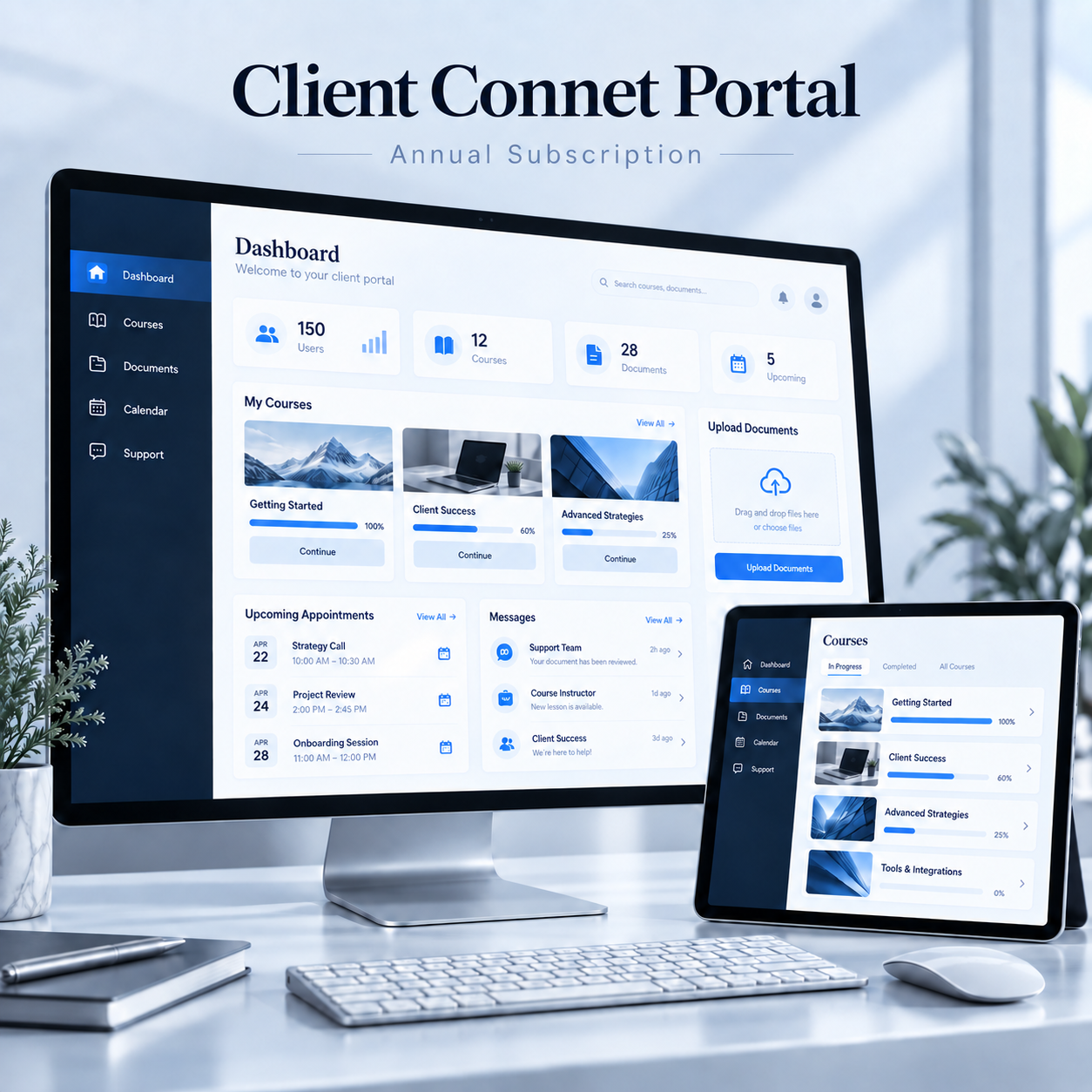
Client Connect Portal

Bring learning, documents, and client communication together in one dedicated portal.Give subscribers personalized access to courses, resources, appointments, and support.Manage users, content, and submissions through a centralized admin dashboard.Keep members informed with progress tracking, status updates, and timely notifications.

$2,600.00

Client Connect Portal

SKU N/A Category

Description

A customizable annual subscription solution for education, training, and client services. Deliver organized learning experiences and personalized support while managing daily operations from one secure, mobile-friendly platform.

Key Features
  • Dedicated Subscriber & Admin Dashboards
  • Registration for Up to 150 Users
  • LMS with Course Listings & Content Updates
  • Private Document Uploads & User Assignments
  • Progress & Submission Status Tracking
  • Calendar & Appointment Booking
  • Chat Support, Messaging & Announcements
  • Unified Login & Annual Subscription Management

Plan Details

Plan

Annually

Additional Details

  1. Online Payments & Renewal Reminders: Allow users to pay for annual subscriptions through integrated payment gateways. Track payment status, provide payment confirmations, and send automatic reminders before subscriptions expire.
  2. Quizzes & Assessments: Create course quizzes, assignments, and assessments to evaluate user understanding. Set passing scores, track attempts, and provide results and feedback to support learning.
  3. Completion Certificates: Issue personalized, downloadable certificates when users complete the required course activities. Include the learner’s name, course title, completion date, and your organization’s branding.
  4. Support Ticket System: Allow users to submit support requests through their dashboard and follow each request’s status. Administrators can assign tickets to staff, set priorities, and maintain a record of replies and resolutions.
  5. Document Review & Approval: Review uploaded documents and mark them as approved, rejected, or requiring changes. Provide comments so users understand what needs correcting and can resubmit their files.
  6. Automated Notifications: Send email and in-app notifications for new courses, assigned documents, upcoming appointments, and submission deadlines. Keep users informed about important updates and actions they need to complete.
  7. Role-Based Access: Assign permissions based on each person’s role, such as administrator, instructor, support staff, or subscriber. Control who can view, upload, edit, approve, or manage specific content and records.
  8. Reports & Analytics: Monitor registrations, user activity, course progress, pending submissions, and subscription revenue. Use dashboard summaries and filtered reports to identify outstanding tasks and assess platform performance.
  9. Resource Library: Maintain a centralized collection of articles, books, videos, guides, and downloadable templates. Organize resources into searchable categories and control access for selected users or groups.
  10. Custom Branding: Personalize the portal with your organization’s logo, colors, and visual style. Apply consistent branding across dashboards, certificates, and notification templates for a professional user experience.
  11. Two-Factor Authentication: Strengthen account security by requiring an additional verification step during login, such as an authentication code. This adds protection if a user’s password is compromised.
  12. Data Export: Export authorized user records, course progress, submission statuses, and payment reports in CSV or Excel format. Filter data by date, user, or status for reporting and administrative use.
